
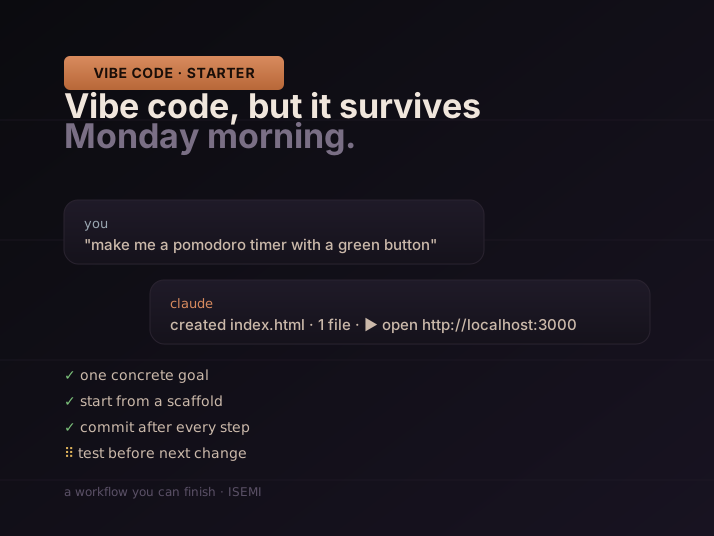
The phrase vibe coding started as a tweet and turned into a movement. Strip the romance off and it describes a real shift: you describe what you want, an AI writes the code, you click around to see if it works. You do not learn syntax. You do not memorise frameworks. You ship the thing.
That sounds either magical or fake, depending on who told you about it. Both reactions are wrong in the same way. Vibe coding works, but it works the way home cooking works — you do not need a culinary degree, but you do need to taste the food before you serve it. The people who quietly ship side projects from a cafe table this year are not smarter than you. They are following a workflow. This post is that workflow, written for someone who has never opened a terminal before.
What "vibe coding" actually is
Andrej Karpathy coined the term in February 2025: "There's a new kind of coding I call 'vibe coding', where you fully give in to the vibes, embrace exponentials, and forget that the code even exists." The original tweet was half joke. The behaviour it described was not.
A year on, the toolchain has matured to the point where a non-engineer can describe a small app in plain English to Claude Code or Cursor, watch the agent generate a folder full of files, run one command, and have a working thing on their laptop. The skill you need is no longer how to write code. It is how to describe what you want clearly, recognise when the agent has lost the plot, and back up your work before it does.
That last skill is the entire reason this post exists. People who try vibe coding once and bounce out are almost always people who skipped one of the seven steps below, hit a wall, and concluded "AI coding doesn't work for me yet". It works. You just have to do the boring half too.
The seven non-negotiable steps
These are not optional. Skip any of them and you eventually end up with an app that broke at 11pm Sunday and you do not know which prompt made it break.
1. Start with a concrete goal, not a vibe
The single biggest predictor of whether a vibe coding session ends in something that works is the first sentence you type. "Make me an app" fails. "Make me a single web page where I paste a YouTube URL and get back a one-paragraph summary" succeeds. The agent is brilliant at the second one and helpless at the first.
A good starting prompt has three things: the input (what the user types or uploads), the output (what shows up on screen), and the moment of success (the precise thing that means "it works"). If you cannot write those three sentences for your idea, you are not ready to type yet — you are ready to think for ten more minutes.
2. Pick a stack you will never have to see
Do not fight stack religious wars. Do not Google "Next.js vs Astro vs Remix". Tell the agent: "Pick a stack that's quick to set up and runs on my laptop. I do not care which one." It will pick something sensible. You will not see most of the code. The stack genuinely does not matter for your first ten projects.
The trap here is shopping for tools instead of building. Two hours of YouTube comparing frameworks is two hours you did not ship anything. Pick what the agent picks.
3. Start from a working scaffold
Empty folder plus "build me X" is hard mode. The agent has to invent everything from scratch and any error compounds. Easy mode is: ask the agent to clone a starter, or use a template like the Next.js starter, or paste a Bolt.new / v0 skeleton you already saw run in the browser.
Your first prompt to a real terminal should produce a folder where npm run dev (or whatever the agent told you) opens a real page in your browser. If you cannot get to that page within ten minutes, stop. Restart. Pick a smaller scaffold. The whole rest of the workflow depends on having a working baseline you can return to.
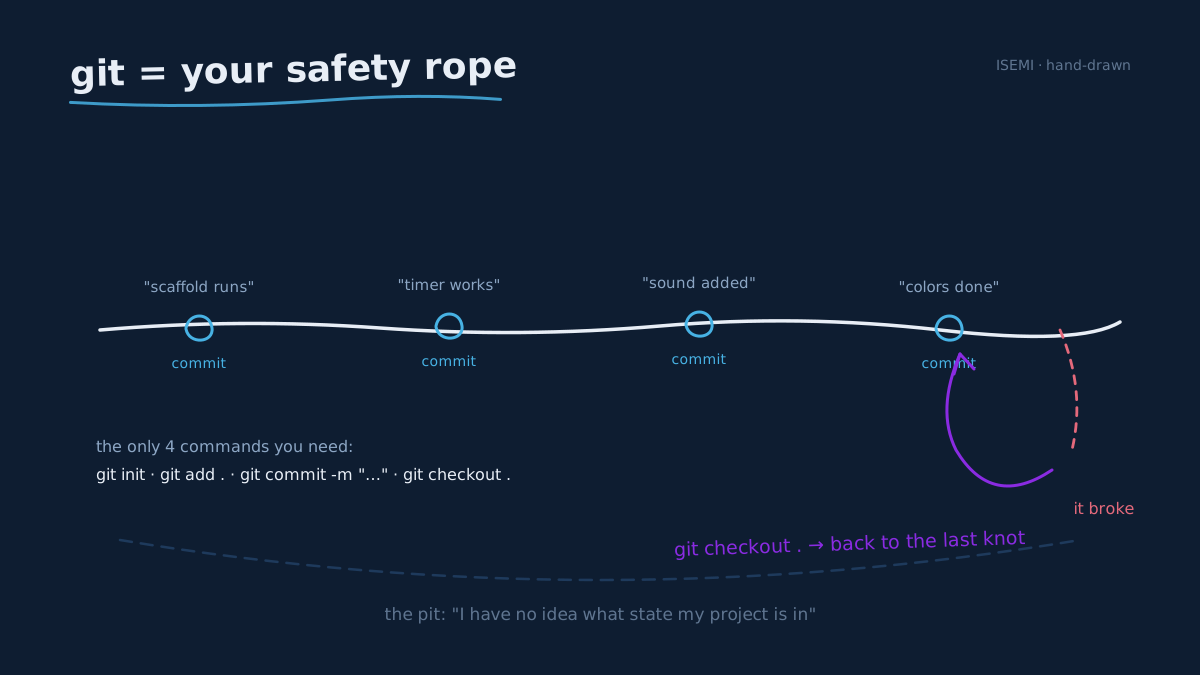
4. Commit after every working step (yes, you need git)
This is where almost everyone who is "trying out AI coding" crashes. The agent makes a change, it breaks something, you ask it to fix it, it breaks something else, three rounds later you have no idea what state your project is in. You restart the project. You give up.
The fix is git, and you do not need to understand it. You need four commands, which the agent will set up for you in about three minutes:
git init— once per project, at the startgit add .— stage your current stategit commit -m "what I just did"— save a snapshot you can come back togit checkout .— I broke everything, throw away my changes since the last save
That fourth one is the one that buys you all your nerve. As soon as something works, commit. Then experiment. If the next thing breaks, throw it away and you are back to the version that worked. People who use git aggressively never lose work; people who do not use it at all lose it eventually.
5. Test the thing after every single change
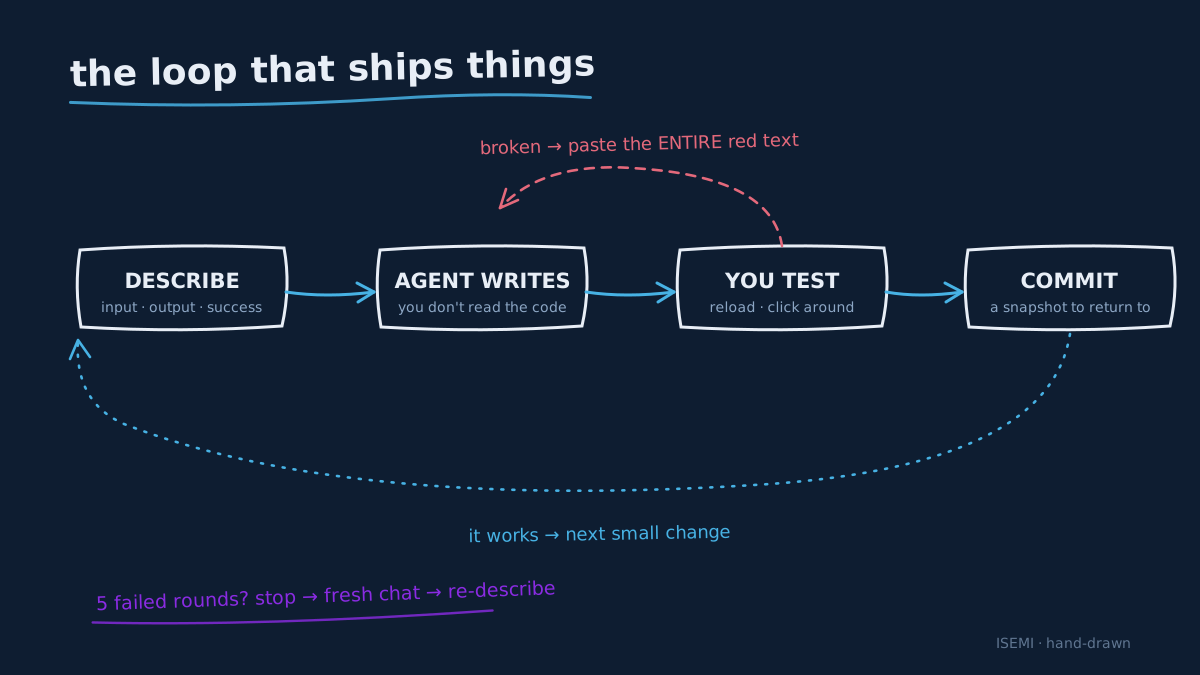
The bug you can fix is the one you noticed thirty seconds after it appeared. The bug that ruins your evening is the one that crept in two changes ago, while you were focused on a different feature. Every change → reload the page → does it still work? → next change.
This sounds tedious. It is not. It is the difference between five-minute fixes and three-hour rabbit holes. The agent never tells you when a previous feature breaks. Only you can catch that.
6. Read the error message — that is it, just the error
You do not need to read code. You absolutely need to read the red text. The error is the thing the agent needs to fix it. Copy the entire error message, paste it into the chat, say "this happened when I clicked save, please fix". The agent will almost always nail it.
Where this fails: people skim the error, paraphrase it ("something broke on save"), and the agent guesses wrong. Copy the literal message. All of it. Including the stack trace if there is one. Five extra seconds of paste, one fewer hour of "why isn't this working".
7. Know when to stop and re-describe
If you have prompted the agent five times in a row about the same problem and it is still broken, the agent is not the problem. The prompt is. You are asking the agent to fix a symptom and it cannot see the disease. Stop. Step back. Open a fresh chat. Describe the whole feature from scratch, including what you have already tried and why it did not work.
A useful rule: any single feature that has eaten more than 45 minutes of back-and-forth should be re-scoped or thrown away. The cost of starting that feature over is almost always less than the cost of continuing.
Three traps that catch every beginner
A short list of patterns we have watched friends fall into. Forewarned is forearmed.
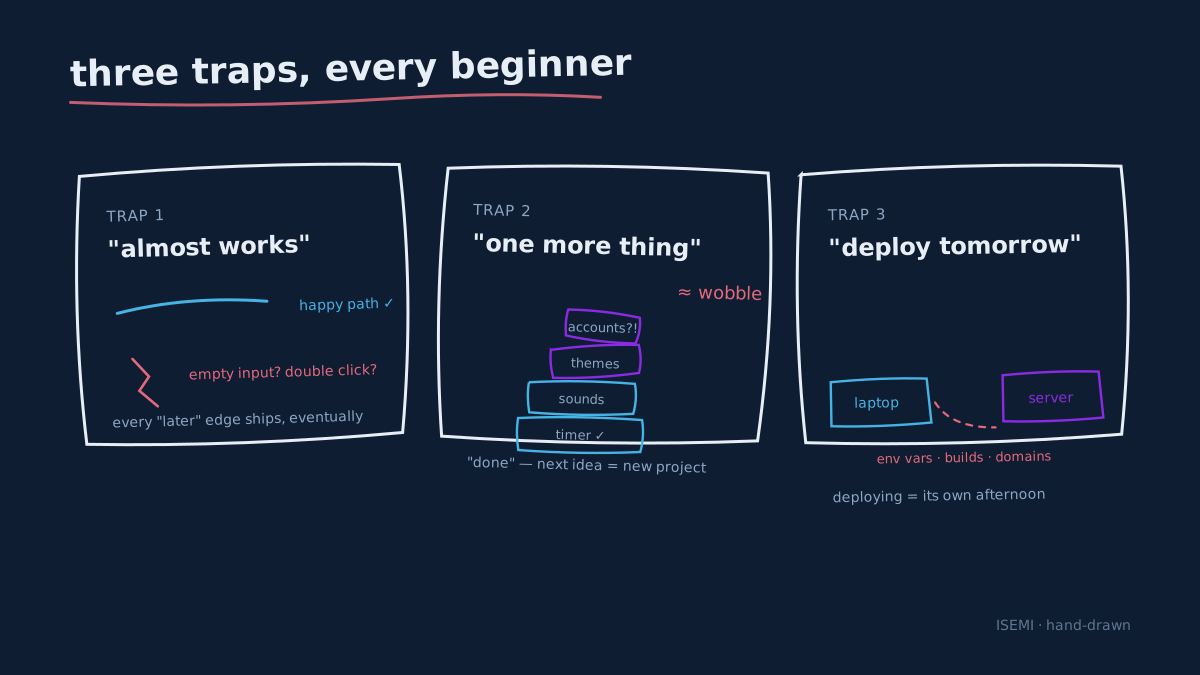
The "almost works" trap. Your app works for the happy path — paste URL, get summary. But it crashes on empty input, or on a URL that is not YouTube, or if you click the button twice quickly. Every edge case you accept as "I'll fix it later" is one you eventually ship to a real person. Decide before you start which edges you care about. For your first project, the answer is allowed to be "only the happy path", but say it out loud.
The "one more thing" trap. You wanted a Pomodoro timer. It works. Now you want sounds. Then themes. Then accounts. Then a leaderboard. Each addition triples your bug surface. The discipline of saying "this version is done, the next idea is a new project" is the difference between three finished apps and one half-built one.
The "I will deploy it tomorrow" trap. Running on your laptop is not the same as running on a server. There are environment variables, build steps, domains, and a hundred small choices that the agent makes silently when it runs locally and you have to make explicitly when you deploy. Deploying counts as its own project — give it its own afternoon, do not try to slip it in at the end of a build session.
First projects that actually finish
The biggest mistake is picking something too big for project one. Here are three projects that are small enough to ship in an evening and visible enough that you can show a friend.
A personal Pomodoro timer with a single tweak. 25 minutes work, 5 minutes break, but with a twist that only matters to you — a sound from your favourite movie, a colour that goes from green to red as the minutes drain, an optional task list that resets each cycle. Single user (you), no database, immediate visible result.
A "what should I cook tonight" page. A button that picks a random recipe from a list you typed in yourself. Add a "but not pasta" filter. Add a "show me one I haven't had in a week" filter, and learn what local storage is on the way.
An idea-of-the-day generator. Pick a category (writing prompts, workout moves, drawing exercises), get one suggestion per day, with a button that lets you reroll. Bonus: copy the link to share today's prompt with a friend.
What these have in common is that they are useful to exactly one person — you — and they have a visible result the first time you load them. That is the sweet spot for a first build.
A tool stack that pays for itself
You do not need many tools. You do need the right ones.
- An agent in the loop. Claude Code runs in a terminal and is the most code-aware. Cursor is an editor with the chat built in and is friendlier for visual people. Pick one and stick with it for a month before comparing.
- A scaffolding tool for instant UI. v0.dev or Bolt.new will give you a working interface in the browser before you ever touch your laptop. Use one to prototype the look, then ask the agent to recreate it in your local project.
- A free GitHub account. Push your project to a private repo after every significant commit. This is your off-laptop backup. Setting it up takes ten minutes, the agent walks you through it once, and you are protected forever.
- A deployment target you do not have to configure. Vercel and Netlify both let you point at a GitHub repo and click "deploy". For the kind of first project we described above, this is two minutes of setup.
That is the whole stack. You do not need Docker. You do not need a database for project one. You do not need to learn the difference between npm and yarn until at least project four.
When not to vibe code
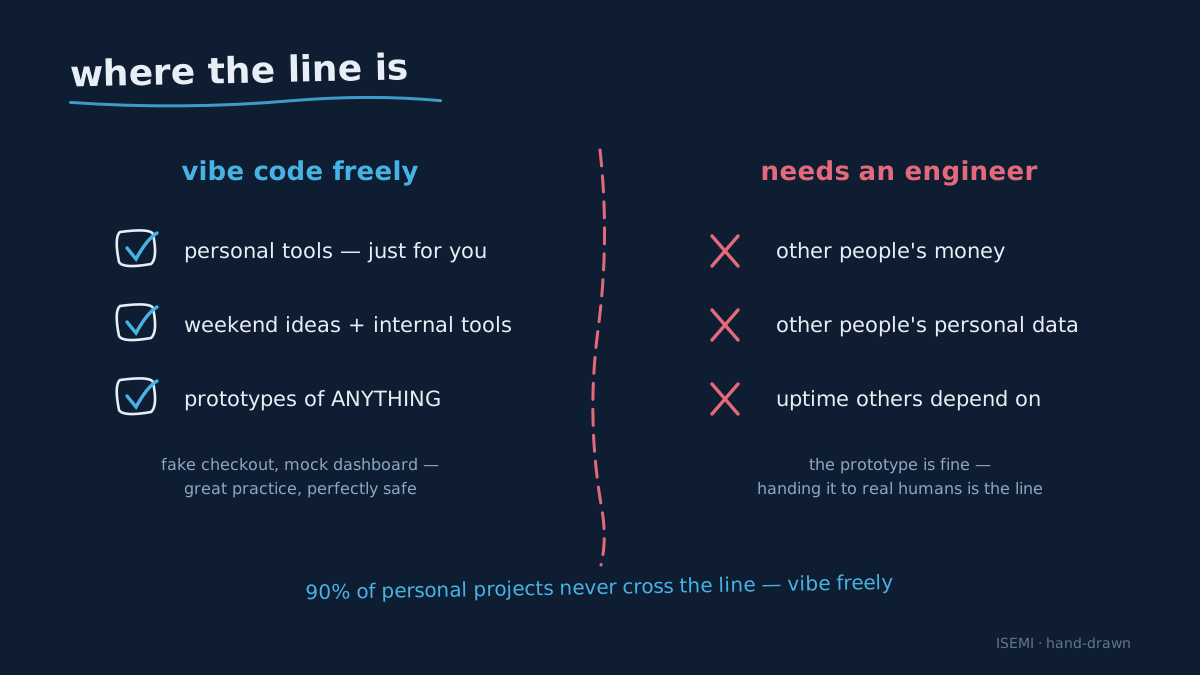
Honesty section. There are things vibe coding genuinely should not be used for, and pretending otherwise is how people get hurt. Do not use a vibe-coded app to:
- Accept other people's money or store their payment details.
- Store other people's personal data, especially anything regulated (health, finances, identity documents).
- Run anything where downtime matters to someone else — a real customer-facing service, a public API others depend on.
You can absolutely prototype any of those things. Building a fake checkout, a mock health dashboard, a demo payments flow is great practice and a perfectly safe vibe coding project. The thing you cannot safely do is take that prototype and hand it to other humans as if it were the real product. That step needs an engineer who reads the code.
The good news: for ninety percent of personal projects, internal tools, weekend ideas, and "I wonder if this is even useful" prototypes, none of those constraints apply. Vibe code freely.
What good looks like at the limit
If you ever want to see how far this approach goes, our team's two open-source pipelines are essentially "what 18 months of vibe coding looks like when it matures into shippable software": FLOW KIT (a one-terminal AI YouTube studio) and FLOWBOARD (an infinite canvas for product-video workflows). The same workflow we just walked through — describe the goal, scaffold, commit, test, stop and re-describe — produced both of them. The difference between your first Pomodoro timer and FLOW KIT is not talent. It is reps.
Your weekend assignment
Pick one of the three first-project ideas above. Block two hours on a Saturday morning. Install Claude Code or Cursor. Tell the agent the single concrete goal. Get to a working version. Commit. Stop. Show somebody.
If you ship one thing this weekend, you have crossed the only line that matters. Everything after is repetition.
If you want to see what else we build at ISEMI, the open-source umbrella is the front door. If you make something with this workflow, we want to see it — drop a link in our community, or tag us when you post it.