
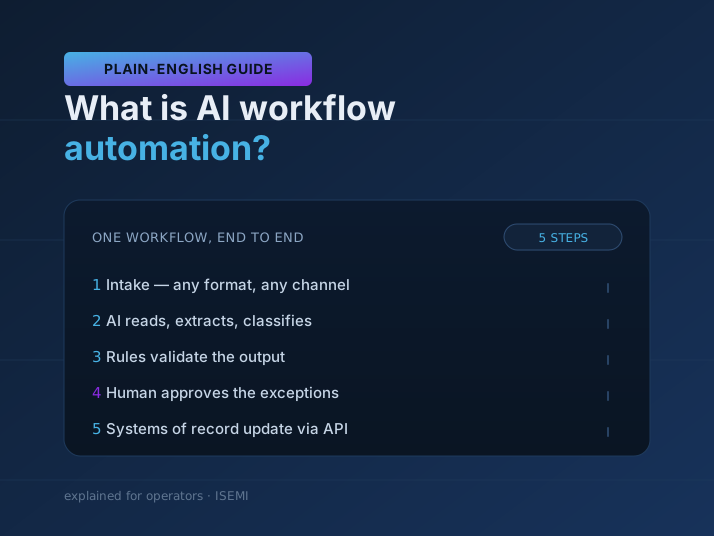
AI workflow automation is the use of AI models inside a multi-step business process to handle the steps that need judgment — reading a document, classifying a request, extracting the right fields, drafting a response, deciding whether something looks wrong — while ordinary software moves the work between systems and humans approve at defined checkpoints.
That one sentence separates it from two things it is often confused with: plain automation, which follows rules but cannot judge; and "AI" as a chatbot bolted onto a website, which talks but does not do the work. This guide is for operators — the people who own a process and its headcount math — and it stays in plain English.
What does AI add that normal automation doesn't?
Traditional automation is rules: when a row lands in this spreadsheet, copy it to that system. Rules are cheap and reliable, and if your process is fully predictable, you should use them — no AI required.
Rules break down at the steps that involve unstructured input or judgment:
- The invoice arrives as a PDF scan, an email body, or a photo — and the amount is labeled six different ways across suppliers.
- The support ticket has to be read before anyone knows which team owns it.
- The report exists in four systems and someone assembles and rewrites it every Monday.
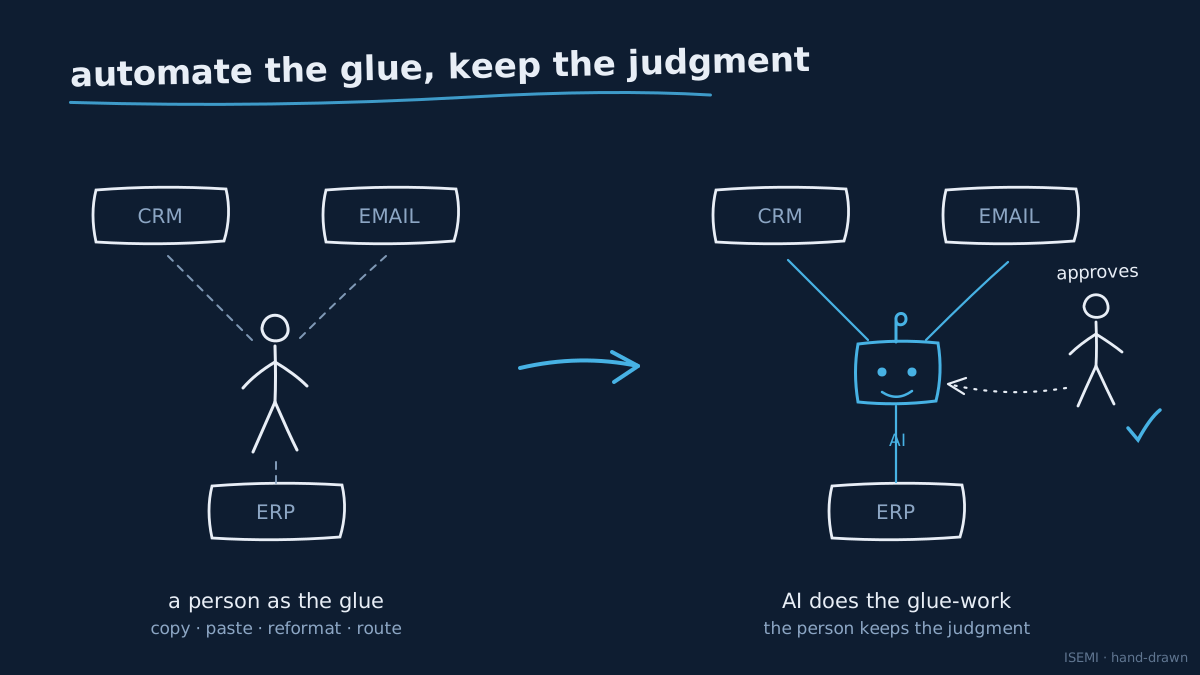
Those are exactly the steps where a person is currently the glue. AI workflow automation replaces the glue-work, not the person: the model reads, extracts, classifies, drafts, and routes — and the surrounding workflow validates the output, writes to your systems through their APIs, and escalates to a human when confidence is low.
How is AI workflow automation different from RPA?
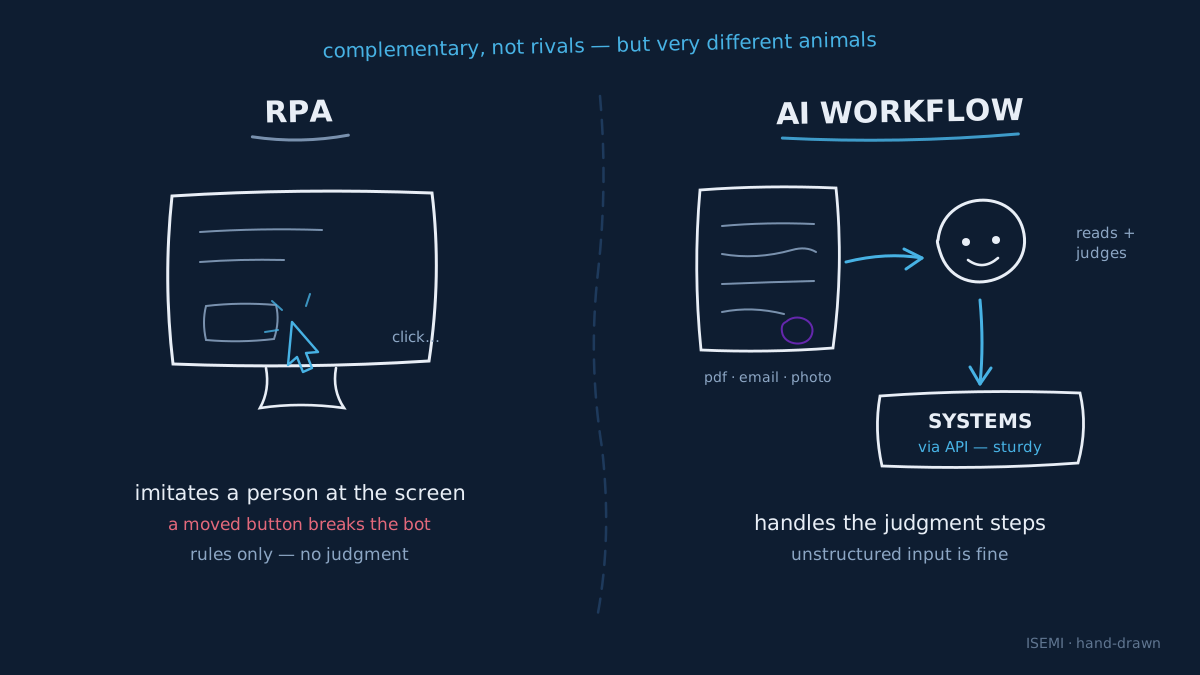
RPA (robotic process automation) automates by imitating a person at the screen — clicking buttons and filling forms in software that has no better interface. It is script-following: precise, brittle (a moved button breaks the bot), and just as unable to judge as any other rule system.
AI workflow automation differs in two ways. It connects to systems through APIs rather than screens where possible, which is sturdier. And it handles the judgment steps RPA never could — the reading, the classifying, the drafting. In practice the two are complementary: plenty of real deployments use AI for the understanding and RPA or plain integrations for the final data entry into a legacy tool.
What does a real AI workflow look like?
A concrete pattern we see constantly — document intake:
- Intake: invoices, orders, or forms arrive by email in any format.
- AI reads and extracts: a model pulls the fields you care about — supplier, amount, dates, line items — regardless of layout.
- Rules validate: totals must add up, the supplier must exist, the PO must match. Deterministic checks, not AI.
- Human approves the exceptions: anything failing validation, or above a money threshold, or below a confidence threshold, goes to a person with the extracted data pre-filled.
- Systems update: the record posts to the ERP or accounting tool through its API, with a full log of what was done and why.
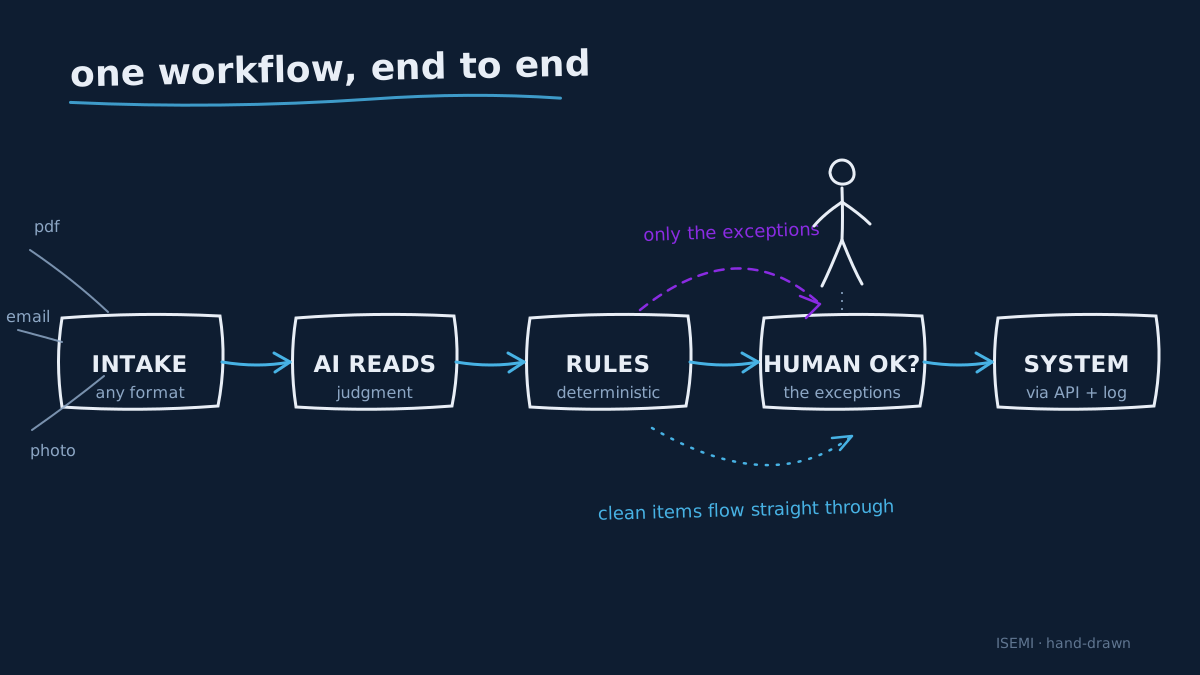
The same skeleton — intake → AI judgment → deterministic validation → human checkpoint → system of record — covers ticket triage, report assembly, order reconciliation, content production, and most back-office work. We run the pattern on ourselves, too: our own Postforge plans, generates, and publishes scheduled social content as an automated pipeline rather than a manual weekly scramble.
Where do humans stay in the loop?
Everywhere it matters, by design. The three standard mechanisms:
- Approval gates: defined steps where work pauses for sign-off — payments over a threshold, anything customer-facing, anything irreversible.
- Confidence thresholds: the model reports how sure it is; low-confidence items route to a person instead of proceeding.
- Escalation paths: when the workflow hits something it has never seen, it hands off cleanly with context, rather than guessing.
A well-designed automation makes these dials explicit, so you choose the autonomy level per step — and can loosen it as trust builds, with the audit log to justify it.
What results should you expect, and when?
Honest answer: it depends on the process, and anyone quoting a universal percentage is selling. The pattern that holds across deployments is a timeline, not a number — a scoped first workflow can be live within the first month, break-even typically lands within the first quarter, and returns compound as each following workflow reuses the plumbing of the last. Measure hours returned, error rates, and cycle time against a baseline you capture before you start.
We wrote the full framework — what to measure, the 30/60/90-day expectations, and the traps — in AI workflow automation ROI: the first 90 days.
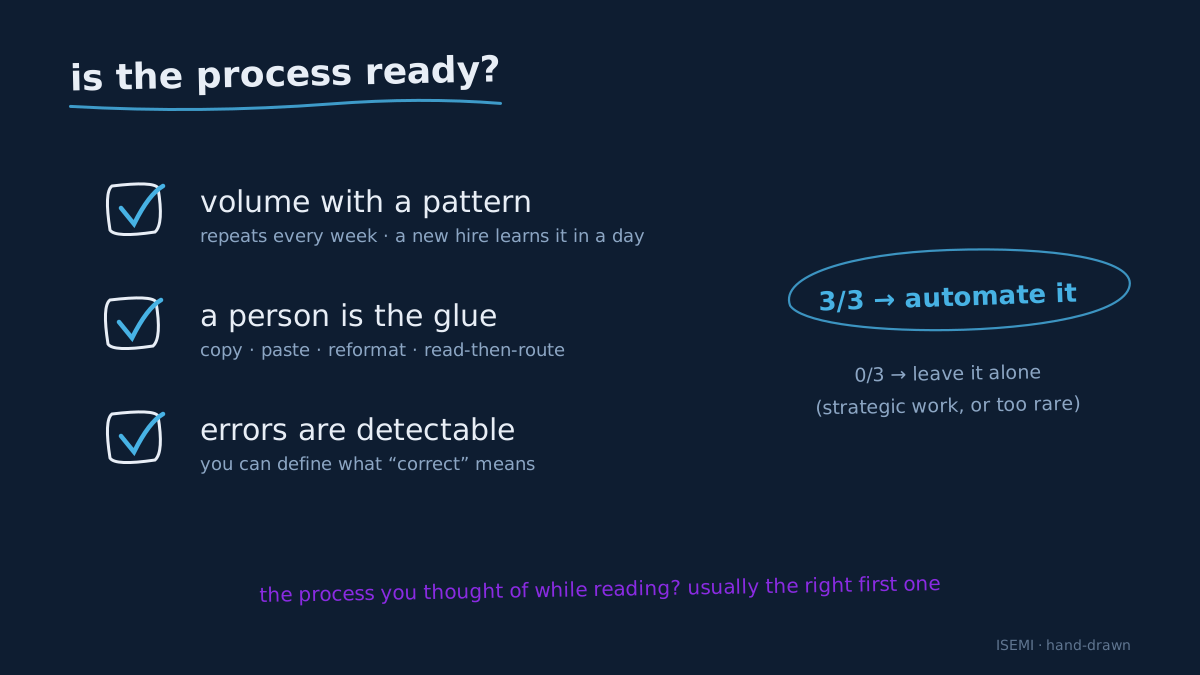
How do you know a process is ready?
Three quick signs, no consultant required:
- Volume with a pattern: the task repeats many times a week and a competent new hire could learn its rules in a day — even if the inputs are messy.
- A person is the glue: the work is mostly moving information between systems, reformatting it, or reading-then-routing it.
- Errors are detectable: you can define what "correct" means, which is what makes validation and human checkpoints possible.
If a process fails all three, it is either genuinely strategic work (keep the humans) or too rare to be worth automating (leave it alone).
FAQ
Is AI workflow automation the same thing as AI agents? Related, not identical. A workflow follows a designed path with AI handling judgment steps inside it; an agent decides its own path at runtime toward a goal. Workflows suit defined, repeating processes; agents suit open-ended tasks. Many real systems are workflows with agent-like steps inside — and the buying considerations overlap heavily.
Do we have to replace our existing tools? No — good AI automation wraps around your current stack, connecting through the APIs of the tools you already run (email, CRM, ERP, ticketing, spreadsheets). If a vendor's plan starts with "first, migrate everything," get a second opinion.
Will our data be used to train someone's model? It should not be. Reputable implementations use models under terms where your data is not used for training, and your contract should say so explicitly — data ownership, retention, and confidentiality (with an NDA) belong in writing before anything sensitive moves.
How long until the first automation is live? For a well-scoped first workflow — one process, clear success criteria — weeks, not quarters. Discovery and process mapping first, then a working slice handling real volume within the first month is a realistic bar for a competent team.
What does it cost? Two parts: the build (scoped engineering work) and the run (model usage plus hosting, usually modest next to the hours returned). The economics are covered in depth in our 90-day ROI guide.
Where to go next
If one specific process came to mind while reading — the invoice pile, the Monday report, the inbox that needs triage — that instinct is usually right, and it is exactly the right size for a first project. Our AI workflow automation service starts with a short process-mapping discovery, so the first automation is chosen by evidence rather than enthusiasm.