
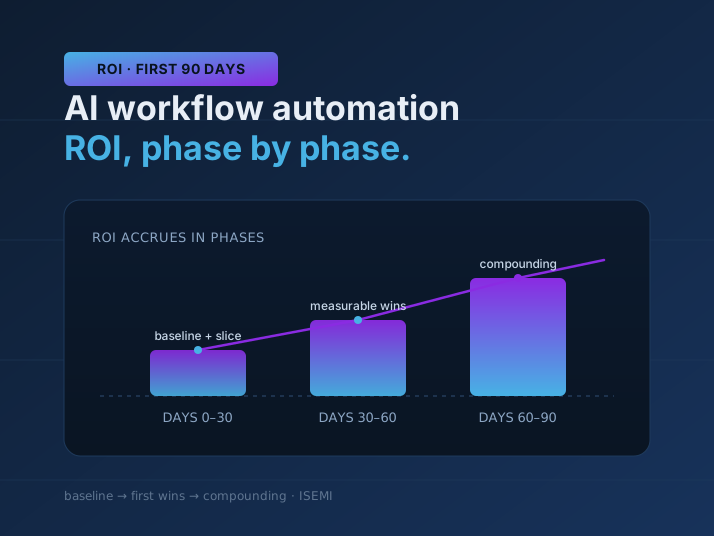
AI workflow automation is the use of AI — usually large language models plus tool integrations — to run a business process end to end: reading inputs, making routing or drafting decisions, and taking action across the tools you already use, with people kept in the loop where judgement matters. The return on it is real, but it does not arrive on day one, and it does not arrive as a single headline number.
This is a realistic look at ROI in the first 90 days: what counts as return, how to measure it honestly, and a 30/60/90-day framework you can hold a vendor or an internal team to. If you are trying to justify a first automation project, this is the mental model to bring to the business case.
What actually counts as ROI
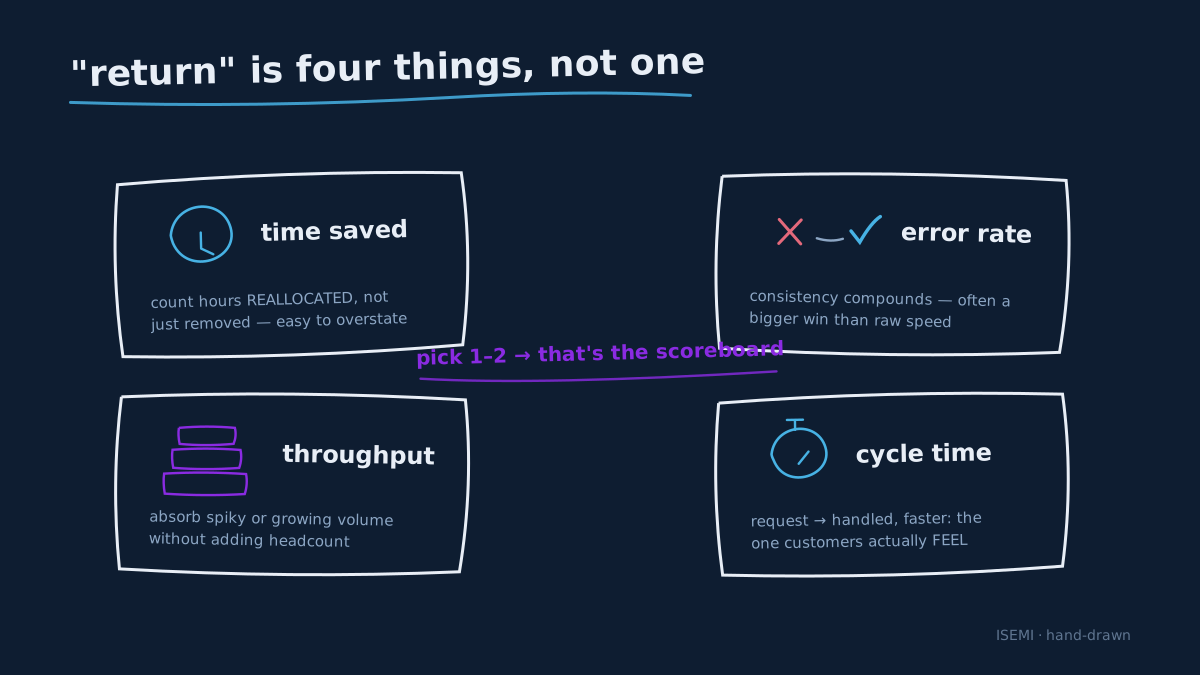
"Return" on an automation is not one metric. It is usually a mix of four, and the first job of any serious project is to decide which ones matter for the process you are automating.
- Time saved. The hours a person no longer spends on the manual version of the task. The most visible return, but also the easiest to overstate — count time reallocated to higher-value work, not just time removed.
- Error rate. How often the process produces a wrong or rework-triggering result. A good automation with the right checks often wins here more decisively than on raw speed, because consistency compounds.
- Throughput. How much work the process can absorb without adding headcount. Automation shines when volume is spiky or growing faster than you can hire.
- Response time / cycle time. How long it takes from a request arriving to it being handled. Faster cycle time is often where customers and colleagues feel the improvement, even when the hours saved look modest.
The discipline is to pick the one or two that map to a real business cost and make them the scoreboard. An automation that saves time but was never bottlenecked on time is a solution looking for a problem.
Baseline before you automate
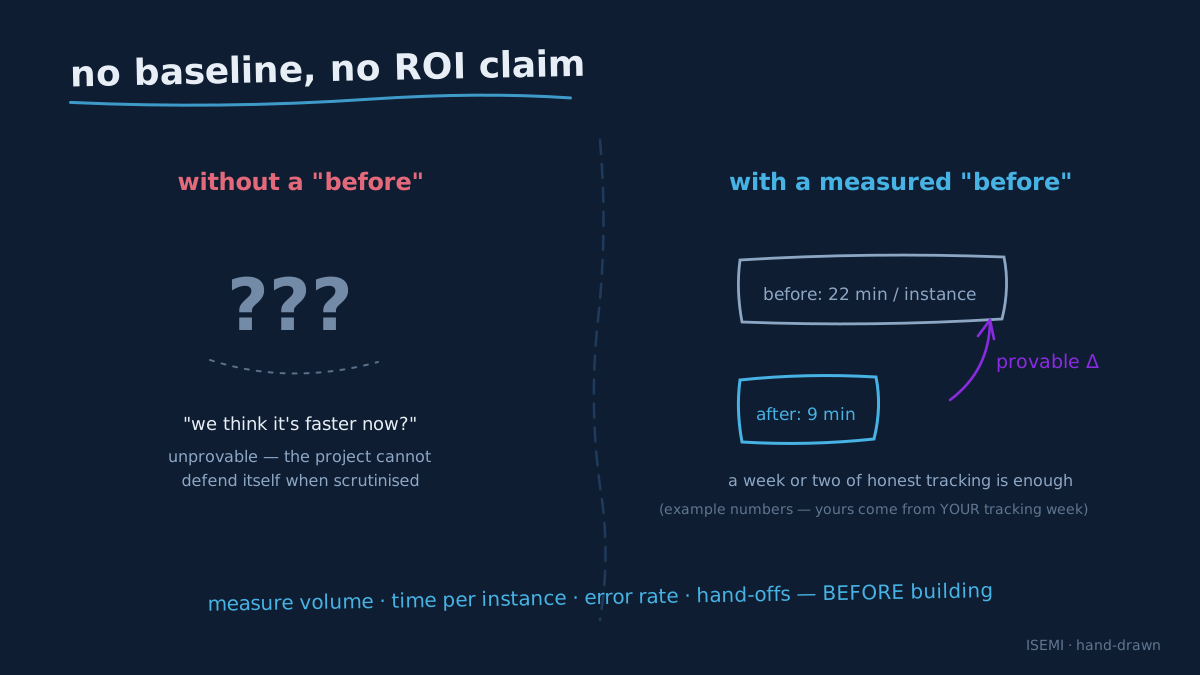
The most common reason an automation project cannot prove its ROI is that nobody measured the "before." You cannot claim a 40% reduction in handling time if you never knew the handling time to begin with.
Before any build starts, spend a short window capturing the current state of the process you intend to automate:
- Volume: how many times does this task run per day or week?
- Time per instance: how long does the manual version take, start to finish?
- Error/rework rate: how often does it go wrong, and what does fixing it cost?
- Who touches it: how many people and hand-offs are involved?
This does not need to be a formal study — a week or two of honest tracking is usually enough to establish a defensible baseline. That baseline is what makes every later claim credible, and it is the single highest-leverage thing you can do before writing any automation. When we scope an automation, establishing this baseline is part of the discovery step, not an afterthought — because without it, "ROI" is just a feeling.
The 30/60/90-day framework
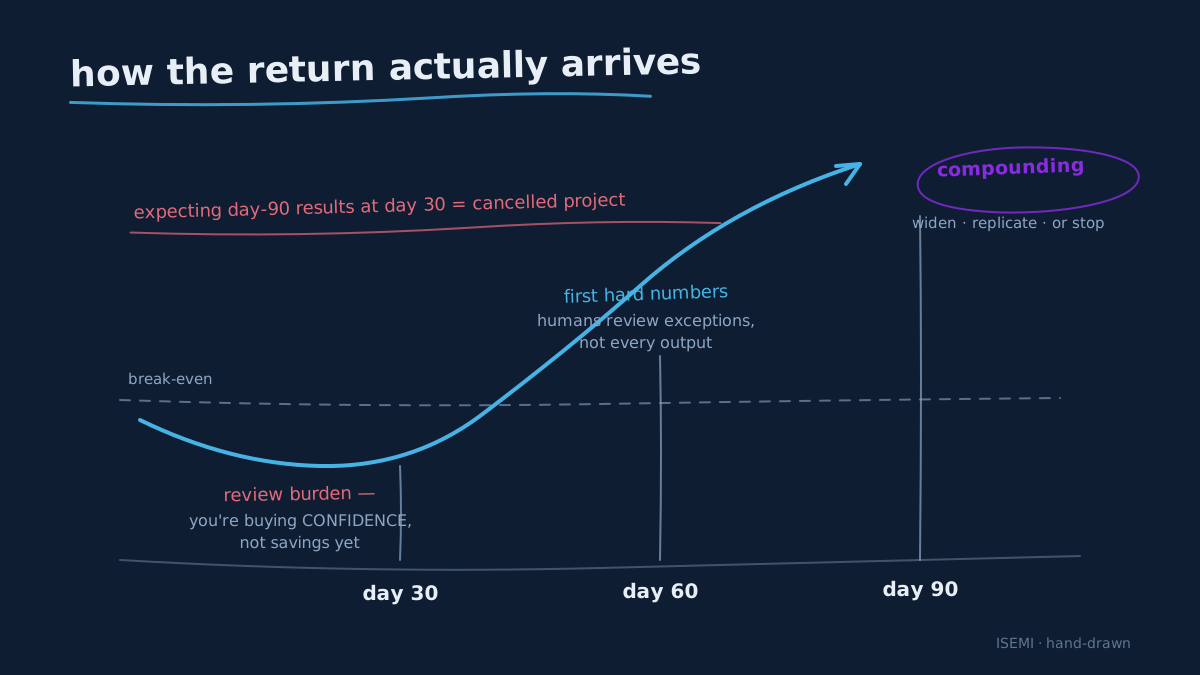
Automation ROI accrues in phases. Expecting the 90-day outcome at day 30 is the fastest route to a cancelled project. Here is a realistic shape.
Days 0–30: baseline, scope, and first slice
The first month is mostly not about savings. It is about picking the right process, baselining it, and shipping a narrow first slice — one clearly-bounded part of the workflow, running on real inputs, with a human reviewing every output. You should expect little to no net time saved yet; reviewing the automation's work takes time too. What you are buying in month one is confidence: evidence that the automation handles the real distribution of inputs, not just the demo cases. Teams typically see their first qualitative wins here — "it caught a case we usually miss" — before any hours show up on a spreadsheet.
Days 30–60: measurable wins on the happy path
By the second month, the first slice should be handling the common cases reliably enough that human review shifts from every output to exceptions and spot checks. This is where the first hard numbers usually appear: measurable time saved on the automated portion, a drop in a specific error type, faster turnaround on the routine cases. The gains are real but partial — you are automating the 60–80% of volume that is routine, while the messy long tail still routes to people. Most teams see their first defensible ROI in this window, not before.
Days 60–90: compounding and expansion
By the third month, a working automation starts to compound. The review burden keeps dropping as trust and coverage grow; you begin extending it to adjacent cases or nearby steps in the process; and the throughput ceiling lifts because the routine work no longer competes for human attention. The 90-day mark is a good moment for the first honest ROI review against the baseline — and for deciding whether to widen this automation, replicate the pattern on the next process, or stop. A well-chosen first project is usually clearly net-positive by here; a poorly-chosen one is usually clearly not, which is itself a valuable, cheap answer.
Automation patterns that tend to pay off
Some shapes of work automate more cleanly than others. These are generic patterns, not prescriptions — the details always depend on your stack.
- Support and request triage. Incoming tickets, emails, or messages get read, categorised, prioritised, and routed — with drafts prepared for common responses and humans approving anything sensitive. High volume and repetitive classification make this a frequent early win.
- Content and publishing pipelines. Turning a source input into finished, formatted, multi-channel output on a schedule. Our own Postforge is exactly this shape — a scheduled generate-and-publish pipeline — which is why we treat repeatable content ops as a strong automation candidate.
- Operations hand-offs and data movement. The glue work between systems: reading from one tool, transforming, and writing to another, keeping records in sync. Our AI Agent Jira Bot lives here, reading and writing across Jira, GitLab, Notion, Confluence, Drive, and Calendar so the hand-offs between them stop being manual.
The common thread: high-frequency, rule-ish work with clear inputs and outputs, where a human can still review the edge cases. That is the sweet spot for a first project.
Thinking about cost: build vs run
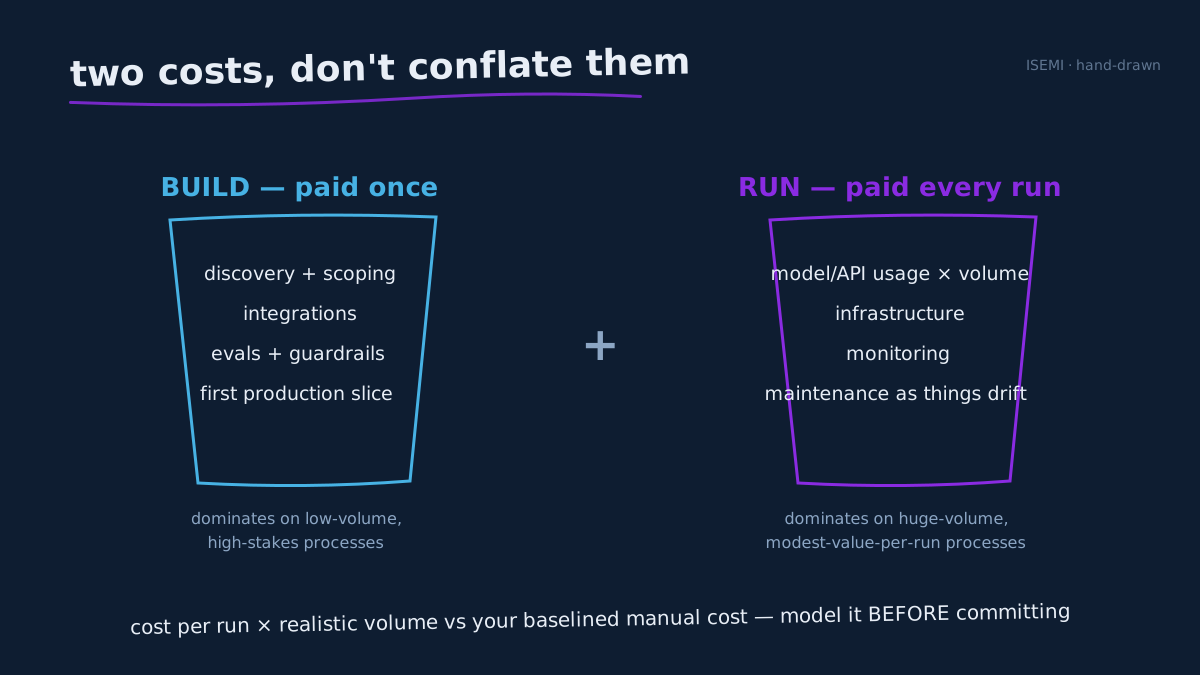
ROI is a ratio, so the cost side matters as much as the return. Automation has two distinct costs, and conflating them is a common budgeting mistake.
Build cost is one-time: discovery, integration, evaluation, and the first production version. Run cost is ongoing: model/API usage, infrastructure, monitoring, and maintenance as models and tools change. A process with modest per-run value but enormous volume can be dominated by run cost; a lower-volume but high-stakes process is usually dominated by build cost and worth more care up front.
The practical move is to model both before committing. Ask what a single automated run costs to execute, multiply by realistic volume, and compare that against the baselined manual cost. Automations fail their business case most often not because they do not work, but because they were pointed at a process where the run economics never made sense — high cost per run, low value per run, in a process that was never the bottleneck.
Common failure modes
The projects that do not deliver ROI usually fail in predictable ways:
- No baseline. Without a "before," no "after" is provable, and the project cannot defend itself when scrutinised.
- Wrong process chosen. Automating something rare, low-value, or already fast. Impressive to demo, negligible to the business.
- Expecting month-three results in month one. Cancelling during the review-heavy early phase, before the compounding starts.
- No human-in-the-loop plan. Either over-trusting the automation into an expensive mistake, or under-trusting it so humans re-check everything forever and the savings never materialise.
- Ignoring run cost. A build that works technically but loses money per run at real volume.
- No owner after launch. Models and APIs drift; an automation nobody maintains quietly degrades until it is switched off.
FAQ
How soon will I see ROI from AI workflow automation? Expect qualitative wins in the first month, the first measurable time and error improvements around months two to three on the routine cases, and a defensible ROI review at the 90-day mark. Automation ROI compounds — it accrues in phases rather than arriving all at once, so early months are about validation more than savings.
What should I measure? Pick one or two of: time saved (reallocated, not just removed), error/rework rate, throughput, and response/cycle time — chosen to match a real business cost. Then baseline those metrics before you automate so the improvement is provable rather than anecdotal.
Which process should I automate first? A high-frequency, rule-ish task with clear inputs and outputs where a human can still review edge cases — support triage, content pipelines, and cross-system hand-offs are common early wins. Avoid rare, low-value, or already-fast processes for a first project.
Do humans stay in the loop? Yes, especially early. A good automation starts with a human reviewing every output, then shifts to reviewing exceptions and spot checks as trust and coverage grow. Where to keep people is a design decision, not a limitation.
How do I know if it is worth it? Model both build cost (one-time) and run cost (ongoing per-run), multiply run cost by realistic volume, and compare against your baselined manual cost. If the run economics and the baseline both point positive, the 90-day review will usually confirm it.
Where to go next
If you are weighing a first automation, the highest-leverage step is not choosing a tool — it is baselining the right process and scoping a narrow first slice. That is exactly how we start: a short discovery to find the process where the numbers actually work, then a reviewable first slice on real inputs.
See how we approach it on our AI workflow automation service, and look at the patterns in practice — Postforge for scheduled content pipelines and the AI Agent Jira Bot for cross-system operations hand-offs.