AI Workflow Automation
Postforge
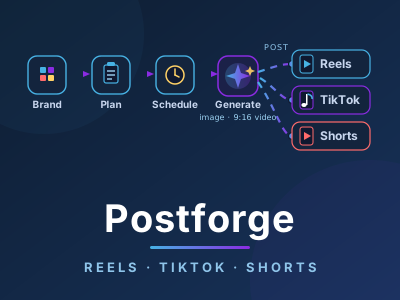
Auto-post images & 9:16 video to Reels, TikTok, Shorts
- Bun
- Hono
- React
- SQLite


An infinite canvas for AI product videos
An open-source node canvas for AI product video: connect model, product, scene, and video nodes, and the prompts and execution order generate themselves from the graph.
Command-line video pipelines are powerful but hard to reason about. It is difficult to see, at a glance, how model, product, scene, and video steps connect, and even harder to hand that mental model to a teammate. We wanted the power of a pipeline with the clarity of a diagram — a way to design an AI video workflow visually and have the prompts write themselves from the picture.
Flowboard is an open-source node canvas for AI product video. You connect model, product, scene, and video nodes on an infinite canvas, and the prompts and execution order generate themselves from the graph you draw — turning video-workflow design into a drag-and-drop task. It is built for teams producing many product clips who want a pipeline they can see, share, and reshape without touching a command line.
Flowboard is a React canvas that runs locally on top of Google Flow and the Claude CLI, with no SaaS lock-in. The node graph is the source of truth: each node contributes its part of the prompt, and the canvas compiles the graph into the correct execution order, so a change to the diagram is a change to the pipeline. Because it runs on your own machine, your project and assets never leave your control.
Flowboard is open source and pairs with Flow Kit as the visual half of our AI video toolkit — built for teams that need many product clips and want to see and reshape the pipeline instead of reading command flags. It is the same orchestration discipline we apply to business pipelines, made visual.
Auto-post images & 9:16 video to Reels, TikTok, Shorts

A Google Chat agent that runs your sprint board